Skip to content

Posts from the ‘Software’ Category

แนะนำ Softwares สำหรับ LaTeX


Softwares สำหรับ LaTeX นั้นมีมากมาย (ลองดู list ใน Wikipedia ได้)
จากประสบการณ์ผมเองที่ใช้ LaTeX ทั้งบน MacBook ส่วนตัว และ Window PC ของโรงเรียน
และจากการที่ได้ลองใช้หลายๆ Softwares มาแล้วนั้น ขอแนะนำ Softwares ดังนี้ครับ

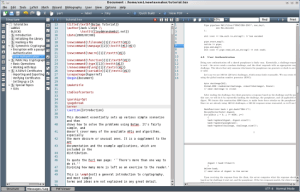
1. Texmaker
Advantages: Free, Cross-Platform, Modern view, quick error identification
Platforms: Window, Mac & Linux
Download Texmaker here


2. MacTeX
Advantages: Providing all you need to make a great LaTeX document in Mac (from my experience) including alternatives of LaTeX softwares for Mac + bibliography management softwares
Platform: Mac only
Download MacTeX here
More about MacTeX Click

More about LaTeX in Wikibook

My EurOMA 2011 Presentation


Just before I forgot the event, I’d like to share my experience in one of the most distinguish Operations Management in the world.

This year, the conference has set a new bar with highest number of abstract submitted, papers orally presented, PhD students in the doctoral seminar and conference delegates.

There are 20 parallell sessions through out the two very intensive days.

My presentation was in the session called “Performance Management in Inter-firm Relationships” which I also chaired. There are three presentation, mine was the last one.

In the beginning of the session, there were only session presenters and few friends in the room. However, just minutes before my turn, more and more audiences was joining the session. Most of them were those of senior academics. Moreover, most of them asked me a questions or two or more. However, they were positively constructive.

I believe that I responded them well due to their feedbacks. The questions were about the measurement and the discussion on the unexpected results.

You may find the slides in this link.
Just note that this was the second time I use LaTeX to create the slides.

useR Conference 2011 – Timetable


Next month I will have a chance to present how I use R to conduct a structural equation model in my thesis to the expeRts. And now the tentative timetable was just released.
Similar to EurOMA, I will be the last on the first day, just before the dinner.

Here is the link for the timetable.

LaTeX – เพื่อผลิตเอกสารวิชาการคุณภาพสูง


LaTeX (อ่านว่า เลย์-เทค) เป็นโปรแกรมที่ใช้สำหรับการพิมพ์งานที่ให้ผลงานที่มีคุณภาพ

LaTeX มีข้อดีหลายๆ ด้านเช่นการจัดวางตัวอักษรและช่องไฟที่เป็นระเบียนและสามารถควบคุมได้

รวมทั้งการจัดการสมการทางคณิตศาสตร์ ให้เป็นระเบียบ และ ยังสามารถเชื่อโยงกับโปรแกรมวิเคราะห์ผลทางสถิติอย่าง R ได้เป็นอย่างดี

 ผมได้เรียนรู้การใช้งาน LaTeX ด้วยตนเอง หลังจาก การอบรมที่ Cardiff University ประกอบกับแหล่งอ้างอิงต่างๆ ทาง Internet และคำแนะนำจากหลายๆ ท่าน

จากประสบการณ์ที่ผ่านมาจึงได้พบว่า LaTeX นั้นมีประโยชน์อย่างมาก ทว่าหากเรียนรู้ด้วยตนเองอาจจะใช้เวลาค่อนข้างนาน โดยอนาคตจะได้นำเสนอเคล็ดลับและเทคนิคการใช้งาน LaTeX มาแบ่งปันกันครับ

โปรแกรมที่ใช้งาน LaTeX นั้นมีไม่น้อยครับส่วนใหญ่เป็น opensource มีบ้างที่ต้องซื้อ
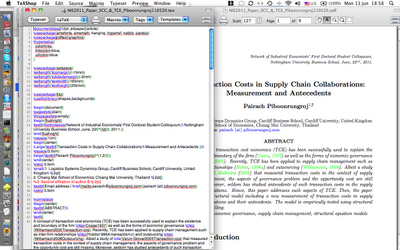
สำหรับผมแล้วใช้ TeXShop ใน MacTeX ใน MacBook เป็นหลัก ส่วน  PC ที่โรงเรียนก็จะมี MiKTeX ซึ่งทำงานร่วมกับ TeXShop ได้ดีครับ ที่สำคัญฟรีทั้งคู่

ใครสนใจก็  download ได้ตาม links ด้านล่างนี้เลยครับ

Softwares
Mac Users => MacTeX
Window users => MiKTeX

ผู้เริ่มต้นใช้ LaTeX ขอแนะนำ The Not So Short Introduction to LATEX2ε

หากต้องการหาข้อมูลเพิ่ม สามารถค้นหาได้ที่ Wikibooks รับรองว่าจะไม่ผิดหวัง


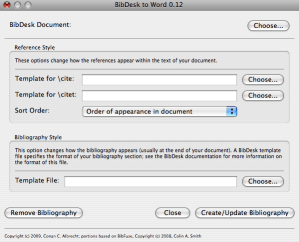
Import references from BibDesk to MS Word


วันนี้ขอแนะนำ Software ที่จะสามารถ Export Bibiolography จาก BibDesk (ที่ใช้ร่วมกับ LaTeX) สำหรับ MS Word


โดยเป็นโปรแกรม Opensource ครับ

ดูรายละเอียดได้ตาม link ด้านล้างนี้ครับ


http://warp.byu.edu/BibDeskToWord/